
Review and
Approve Your
Website on the
Live Staging Site






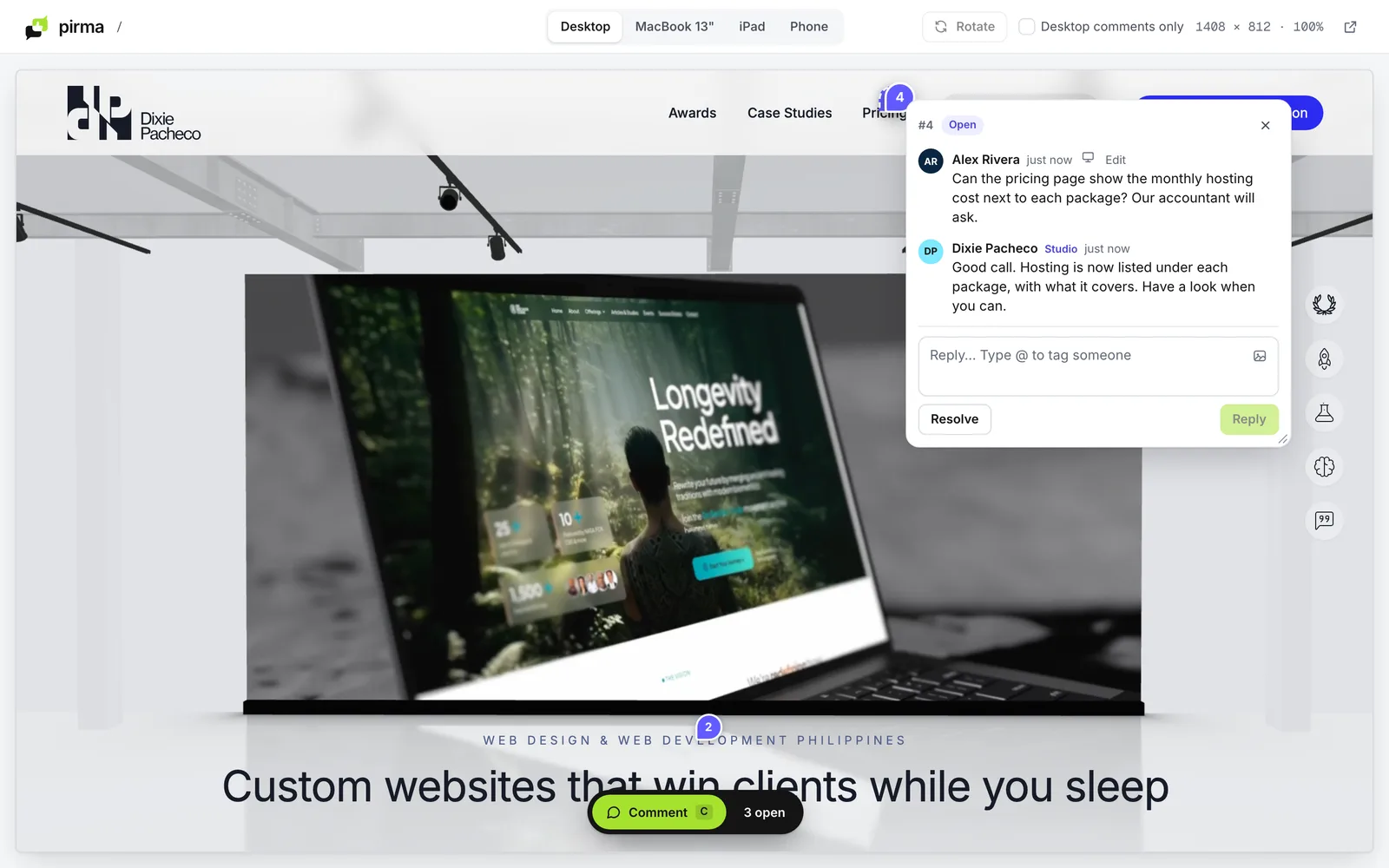
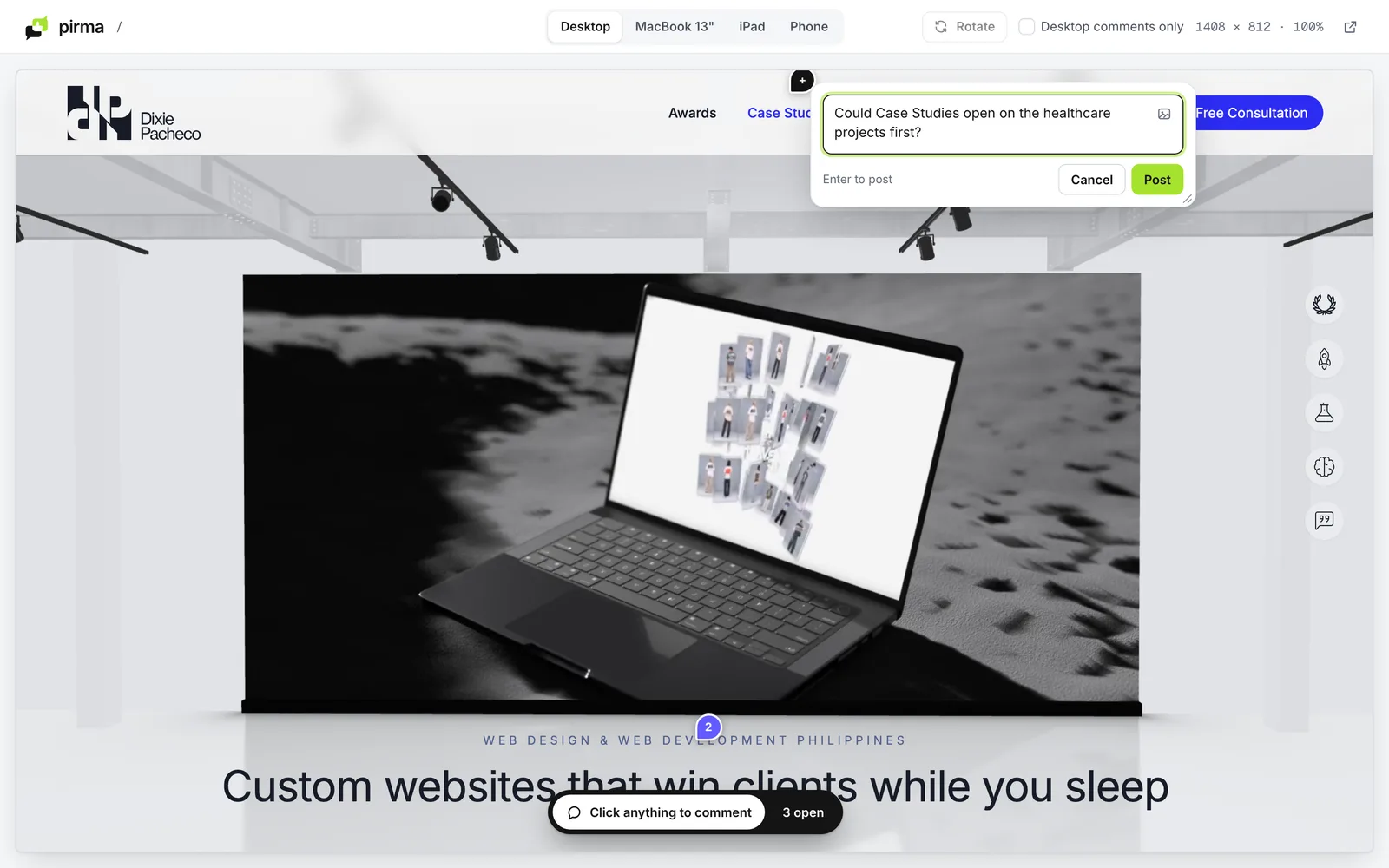
When we work together, you don’t review your website as pictures in a design file. You review the real thing: your staging site, with its real fonts, animation, links and content, on your own laptop, tablet or phone. See something you want changed? Click it, type what should change, and your comment stays pinned to that exact spot.
That’s Pirma, the feedback and approval app I built for my client projects. You don’t sign up for it or install anything. When your staging site is ready, I send you a private review link.
How website review works when we work together
- I send you a private review link when your staging site is ready.
- You type your name. Your email is optional, only for updates when your comments are sorted.
- You open your site, press Comment (or the C key) and click anything you want changed.
- I reply in the thread, fix it on staging and mark it resolved.
- You check the fix and click “Looks good”, or “Still not right” to send it back.
- When everything is right, you approve the site and get a receipt.
Visual feedback on your real website, not Figma frames
A design file shows a picture of a page at one width. It can’t show you how your headline wraps on your laptop, how the menu works on your phone, how fast a page loads or how an animation feels. Those are the things you and your customers notice after launch.
I design in the browser, as working prototypes on a staging link. Figma only comes in when a project needs it. So the first thing you review is already your website, and Pirma lets you mark it up directly.
| Reviewing design frames | Reviewing your site in Pirma | |
|---|---|---|
| What you look at | A picture of the page | Your working website, with real fonts, animation and links |
| Screen sizes | Only the sizes someone drew | Desktop, MacBook 13", iPad (rotates) and phone from one link |
| Pointing at a change | Describing it in an email | Clicking the exact element |
| Your sign-off | An email that says “looks good” | Your name, the date, the site version and a receipt number |
Review your website on phone, tablet and desktop
Your review page has four sizes at the top:
- Desktop: your browser window, up to 1920 pixels wide
- MacBook 13": 1440 pixels wide
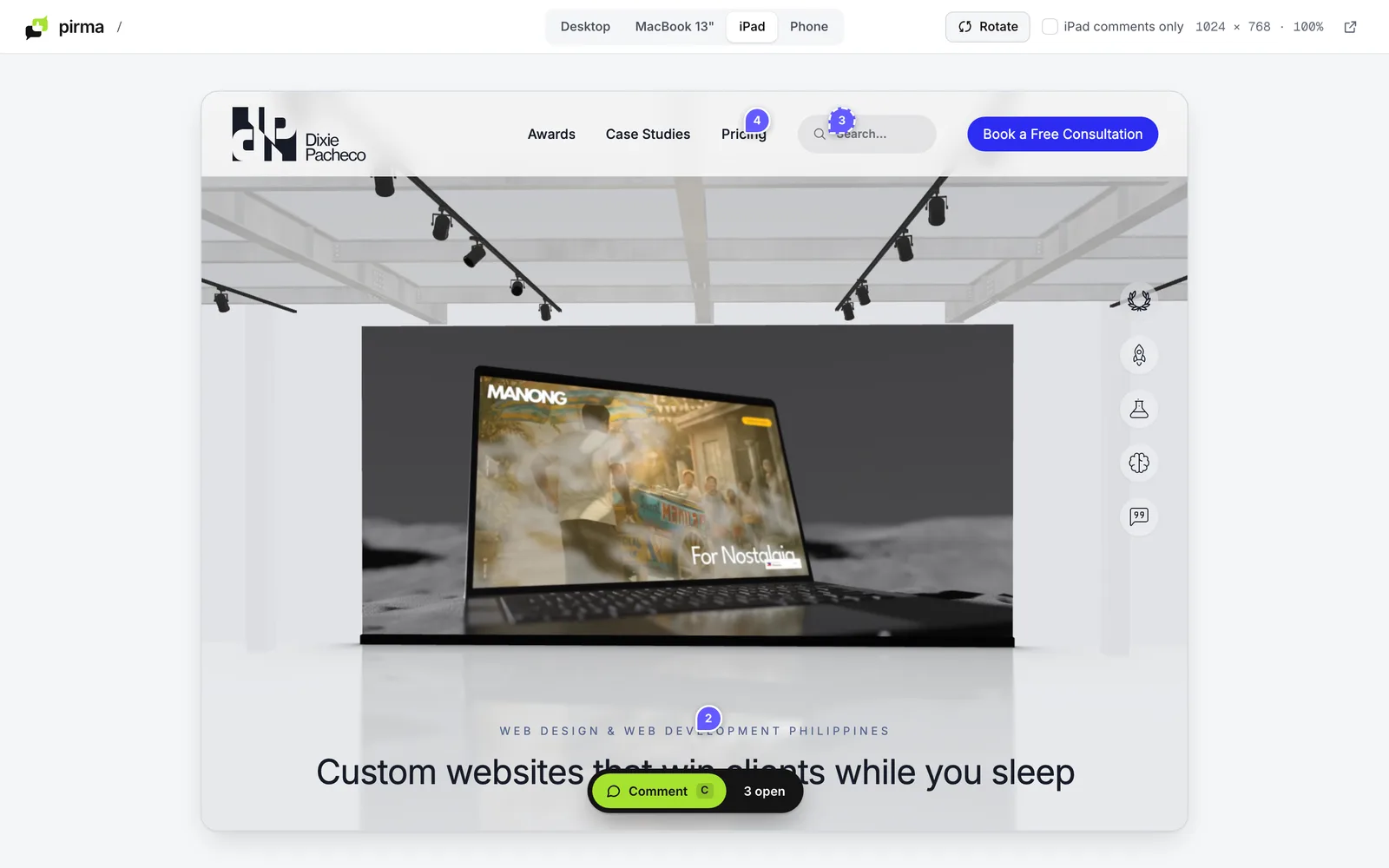
- iPad: 768 × 1024, with a Rotate button for landscape
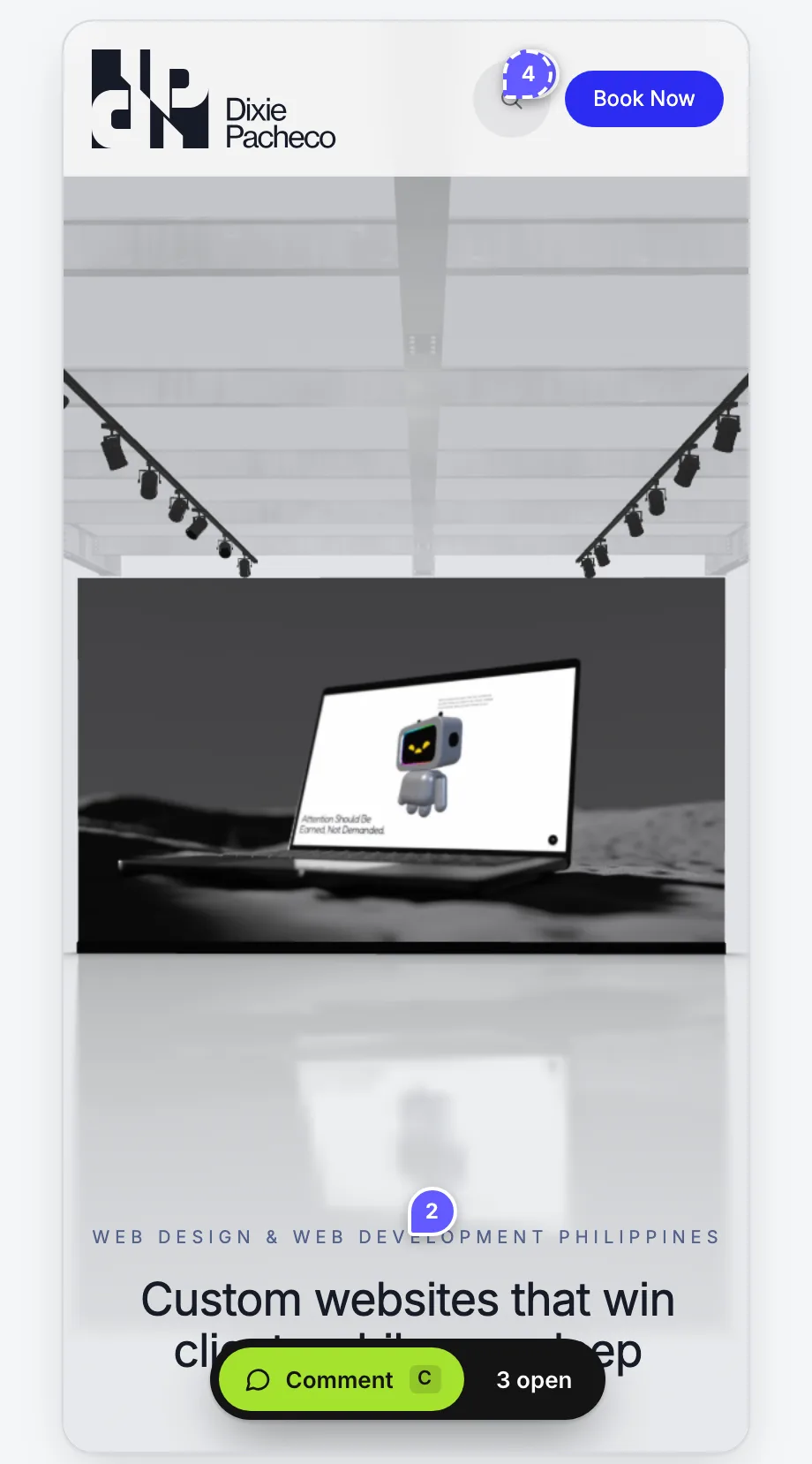
- Phone: 390 × 844, also with Rotate
Your site lays out at the true width of each size, so the phone view is your real mobile layout, not a shrunken desktop. Switching sizes doesn’t reload the page.
You don’t have to say “this is about the phone version”. Every comment records the screen it was made on, and it stays with its element on every size.

Pin comments to any element on the page
No more screenshots with arrows, or “the second button in the third section”. You click the button. Pirma picks the smallest element under your pointer, so your comment lands on the thing you meant, not the section around it.
Each comment is a small conversation. You can reply, tag a colleague with @ and attach an image, for example a photo you’d rather use. If I rewrite the text or move a section, your comment follows the element. If it can’t be matched any more, the pin shows as “moved” instead of pointing at the wrong thing.
For tips on feedback that’s quick to act on, read my guide to website project communication.
Track every change request until it’s fixed
All your comments sit in one list with a status: open, in progress or resolved. You can see what’s done and what’s still waiting, without digging through email threads.
When I resolve a comment, it isn’t closed until you’re happy. You click “Looks good”, or “Still not right” to send it back. Fixes come in rounds. When a batch of changes is on staging, I start a new round, and each comment keeps a history of when it was raised and fixed.
Website sign-off you can point back to
When your site is right, you approve it from your review page. The approval window shows how many comments are still open and which version of your site you’re signing off. You can approve with comments still open. They stay on my list.
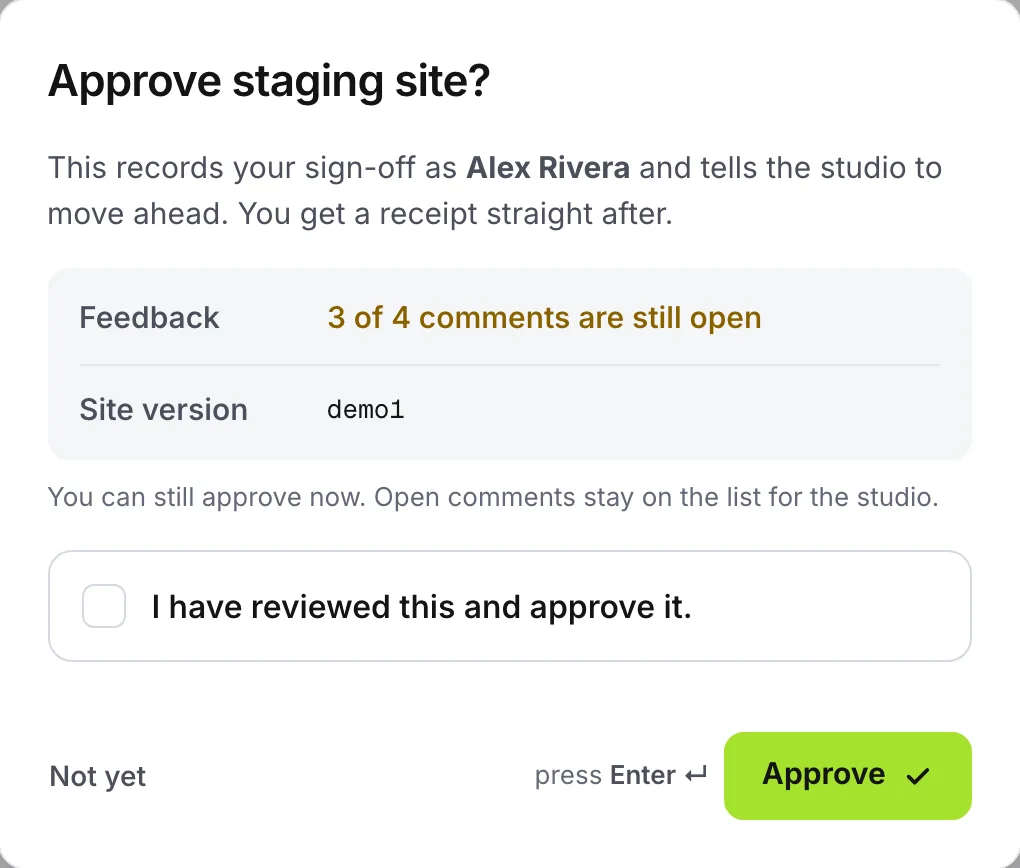
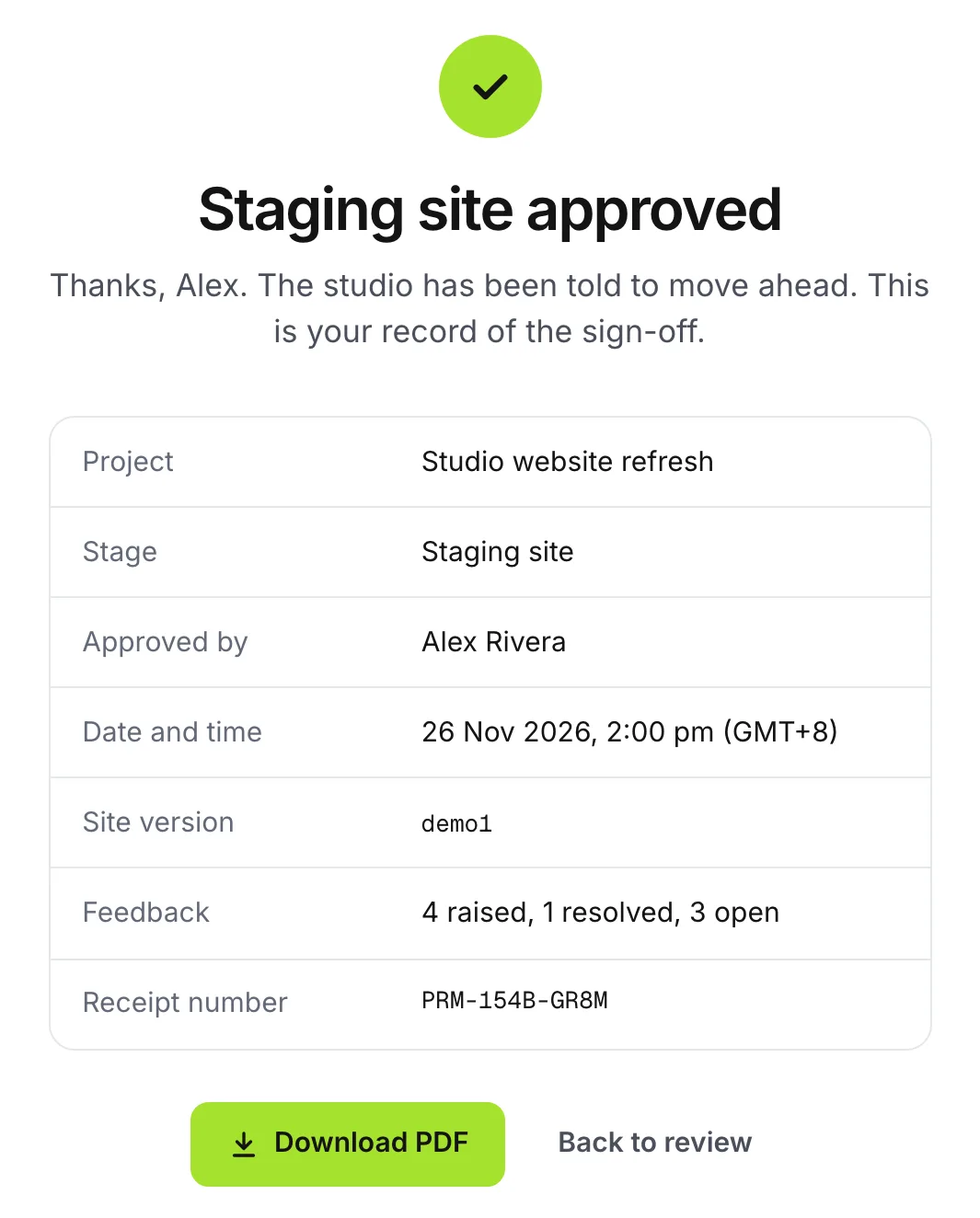
You get a receipt straight away with your name, the date and time, the site version, how many comments were raised and resolved, and a reference number. You can download it as a PDF. If the site changes after you approve, Pirma flags it, and I ask you to approve again.
No account, no install, and private by default
- No account, no password and nothing to install. Just your review link.
- Everyone on your team gets their own link, so each comment shows who made it.
- The Pirma script only goes on your staging site, never your live website, and it does nothing for visitors who didn’t come through a review link.
- I can turn off a review link at any time.
Staging reviews are part of every package. See pricing for how many revision rounds each one includes, or read my web design process step by step.




Transform your website into a revenue-generating asset
Partner with an award-winning web designer and web developer from the Philippines, delivering world-class websites to global brands. 15+ years of experience creating sites that convert visitors into customers.
Frequently Asked Questions
-
Pirma is how you review your website when you work with me. You open your real staging site, click any part of a page to leave a comment on it, follow each comment until it is fixed, and approve the site when it is right. I built it for my client projects. Pirma is Filipino for signature.
-
No. I send you a private review link. Pirma asks for your name so I know who each comment is from. Your email is optional and only used to tell you when your comments are sorted.
-
In Figma you comment on a picture of a page at one width. In Pirma you comment on the website itself, with its real fonts, animation, links and content, and you can switch between desktop, MacBook 13", iPad and phone sizes. What you approve is the build that goes live.
-
Yes. The review page shows the staging site at Desktop (your window, up to 1920 pixels wide), MacBook 13" (1440 wide), iPad (768 by 1024, with rotate) and Phone (390 by 844). The site lays out at that true width, and switching size does not reload it.
-
Every comment has a status: open, in progress or resolved. When I resolve one, you check the fix on staging and click Looks good, or Still not right to send it back. All your comments stay in one list, so nothing gets lost in an email thread.
-
Yes. The approval window shows how many comments are still open and which site version you are approving. Open comments stay on my list, and you get a receipt with a reference number straight after you approve.
-
No. Pirma is a private app I use on my own client projects. It is not open for sign-ups. If you want to work with me, book a discovery call and you will review your site in Pirma.
-
No. I add the script to staging builds only and take it off before launch. Even on staging it stays inactive for anyone who did not arrive through a review link.